Please try searching something.
Developer Tools
Download Plugins
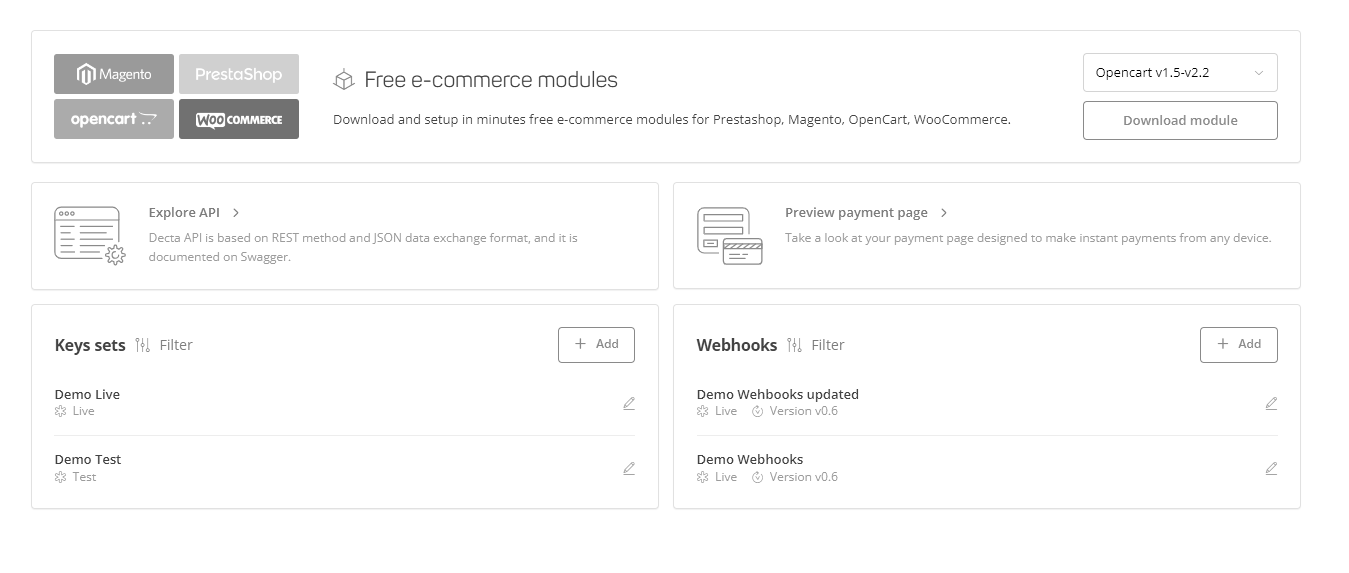
Cardaq Gate can be easily integrated into the billing process of e-commerce websites and mobile apps. If your online store is using Shopify, Prestashop, Magento, OpenCart or WooCommerce, you can download and set up the ready-made module.
Set up the API Keys
You will have to enter a keys set, if you are using the ready-made plugins for your online store. To create a new keys set, go to E-commerce & API section and click on the + Add button in the keys sets box. You will be asked to provide the following information:
- Keys set title;
- Keys set environment;
- Brand name;
- Website (i.e. the link to your website);
- Default terminal;
- Permissions.
After filling out these fields, click on the Add Key button to save the new keys set.
Set up the Webhooks
You can create new webhooks by clicking on the + Add button in the webhooks section and fill out the following fields:
- Title;
- URL to be called;
- Brand;
- API version;
- Events to send (live or test);
- Filter event (you can either send all or select only a few)
After filling out these fields, click on the Add Webhook button to save it.